When working with email addresses, you may have come across two terms: email validation and email verification. Although they are often used interchangeably, they can refer to different levels of email checking. Understanding the difference is important if you manage email lists, run cold email campaigns, generate B2B leads, operate a recruitment business, or send email marketing campaigns. In this guide, we'll explain email validation vs email verification, how each process works, when you should use them, and why deeper verification can help you maintain cleaner and more reliable email data.
What Is Email Validation?
Email validation is the process of checking whether an email address follows the correct technical format and basic structural requirements.
For example:
john@company.com
is correctly structured.
While:
john@
is not a properly formatted email address.
Email validation can identify obvious formatting problems before an email address is stored in a database or used in a campaign.
Common validation checks can include:
- Email syntax
- Formatting
- Required characters
- Domain structure
- Basic domain checks
- Invalid characters
- Common formatting errors
Validation is particularly useful when collecting email addresses through websites, signup forms, registration pages, and lead-generation systems.
What Is Email Verification?
Email verification is a deeper process designed to determine whether an email address appears deliverable and whether it presents potential delivery risks.
Instead of checking only the structure of an email address, verification can analyze additional signals related to the domain, mail server, mailbox, and risk profile.
Depending on the verification provider, these checks can include:
- Syntax verification
- Domain verification
- MX record checks
- SMTP checks
- Mailbox signals
- Disposable email detection
- Catch-all detection
- Spam-related signals
- Risk analysis
- Role-based address detection
The objective is to answer a more important question:
"Is this email address likely to be useful for sending email?"
Email Validation vs Email Verification: The Key Difference
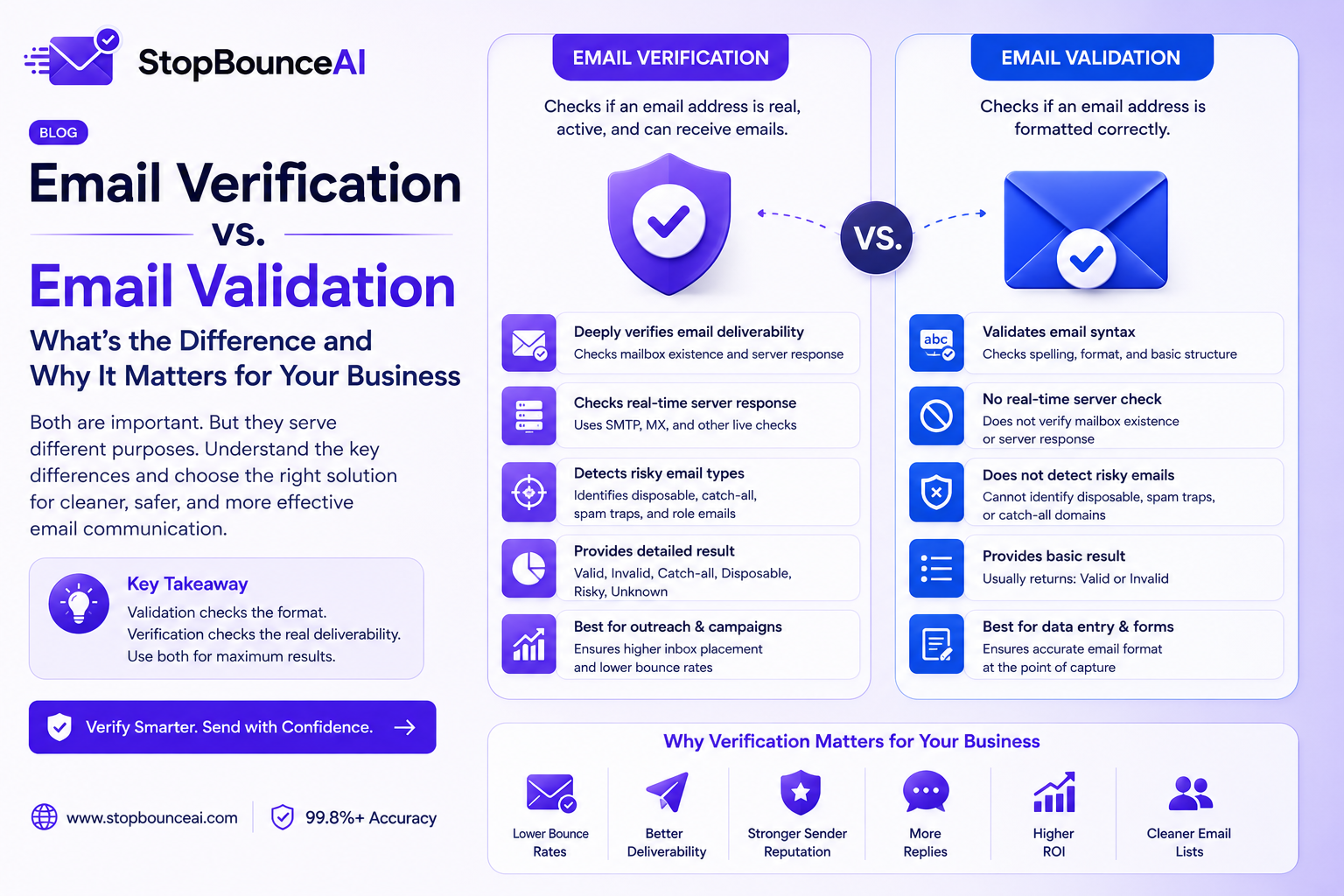
The simplest way to understand the difference is:
Email Validation
Checks whether an email address looks technically correct.
Email Verification
Checks additional signals to determine whether the address appears deliverable and potentially safe to send to.
For example:
john@company.com
may pass basic validation because the format is correct.
But that does not necessarily mean the mailbox exists or that the receiving server will accept email.
Verification attempts to gather more information before you send.
Email Validation Example
Imagine a website signup form.
A visitor enters:
john@company.com
The system can validate the address format and determine that it looks correct.
If someone enters:
john@company
the system can identify a formatting problem.
This type of validation happens quickly and is useful for preventing obvious mistakes at the point where data is collected.
Email Verification Example
Now imagine you have a database containing 100,000 B2B contacts.
The addresses may all have correct formatting.
But some may belong to:
- Former employees
- Deleted mailboxes
- Inactive domains
- Disposable email providers
- Catch-all domains
- Risky addresses
Basic validation may not identify all of these problems.
A deeper email verification process can analyze additional technical signals to provide more information about the quality of those addresses.
What Does Email Validation Check?
Email validation generally focuses on whether an email address is structurally correct.
Syntax
Does the email follow an acceptable format?
Domain Format
Does the domain portion appear correctly structured?
Characters
Does the address contain invalid or unsupported characters?
Basic Domain Information
Does the domain appear to exist?
These checks are useful, but they represent only one part of email data quality.
What Does Email Verification Check?
Email verification can go significantly deeper.
1. Syntax
The system first confirms that the address is properly formatted.
2. Domain
The system checks whether the associated domain exists.
3. MX Records
The system checks whether the domain has mail-exchange records indicating mail infrastructure.
4. SMTP
SMTP-level checks can gather additional information from the receiving mail server.
5. Disposable Email Detection
The system identifies known temporary email providers.
6. Catch-All Detection
The system identifies domains that broadly accept email, making individual mailbox verification more difficult.
7. Risk Analysis
Additional signals can be used to classify potentially risky addresses.
The result is a more comprehensive view of email quality.
Why Email Validation Alone Isn't Always Enough
Imagine you're collecting leads through a website.
A prospect enters:
john@company.com
Your form validates the format.
The address is accepted.
But what if John left the company yesterday?
What if the mailbox was deleted?
What if the domain is configured as catch-all?
What if the address is associated with another risk signal?
The email can be valid in format but still problematic for your campaign.
That's why businesses that send email at scale often use deeper email verification after collecting their data.
When Should You Use Email Validation?
Email validation is especially useful when collecting email addresses.
For example:
Website Forms
Prevent visitors from entering obviously incorrect email addresses.
Account Registration
Check that a user has entered an appropriately formatted email.
Lead Capture
Reduce basic data-entry mistakes when collecting leads.
CRM Data Entry
Catch obvious formatting errors before contacts enter your database.
Checkout and Signup Processes
Make sure customers provide correctly formatted email addresses.
Validation is most useful at the point of data collection.
When Should You Use Email Verification?
Email verification is particularly useful when you already have a database and want to evaluate its quality.
Examples include:
Cold Email Campaigns
Verify prospect addresses before sending outbound campaigns.
B2B Lead Generation
Check contact databases before delivering or using leads.
Recruitment
Verify candidate and employer contact information.
Email Marketing
Clean subscriber databases before large campaigns.
CRM Cleanup
Identify potentially invalid or risky contacts in an existing database.
Bulk Email Lists
Process large datasets before uploading them to your sending platform.
Why Businesses Need Both
Email validation and email verification are not necessarily competing technologies.
They can work together.
A strong email data workflow can look like this:
Collect → Validate → Verify → Segment → Send
Step 1: Collect
Capture email addresses through forms, lead generation, CRM systems, or other sources.
Step 2: Validate
Check whether the address is correctly formatted.
Step 3: Verify
Perform deeper checks to evaluate deliverability and potential risk.
Step 4: Segment
Separate results into categories such as valid, invalid, catch-all, disposable, risky, and unknown.
Step 5: Send
Use the appropriate contacts in your campaigns.
This creates a stronger data-quality process from collection through outreach.
Email Verification Results Explained
Modern email verification platforms may return multiple result categories.
Valid
The available signals indicate that the email address is likely deliverable.
Invalid
The address appears unlikely to receive email or has failed important verification checks.
Catch-All
The domain accepts email broadly, making it difficult to confirm the existence of a specific mailbox.
Disposable
The email address appears to belong to a temporary email service.
Risky
The address has additional signals that may make it less suitable for certain campaigns.
Unknown
There isn't enough reliable information to confidently classify the address.
Having these categories gives businesses more control than simply using a valid/invalid result.
Email Verification vs Email Validation for Cold Email
If you're running cold email campaigns, basic validation is usually not enough.
Your prospect database may contain thousands of addresses collected from different sources.
Before sending, you want to know more than whether the addresses have the correct format.
You want to identify potentially:
- Invalid addresses
- Disposable addresses
- Catch-all domains
- Risky contacts
- Inactive mailboxes
- Other problematic records
This is where email verification becomes especially valuable.
A simple cold email workflow can be:
Find Leads → Enrich Data → Validate → Verify → Segment → Send → Monitor
Email Verification for B2B Lead Generation
B2B databases change constantly.
Employees move between companies, businesses change domains, and email accounts become inactive.
A database that was accurate months ago may no longer be completely reliable.
This is why lead-generation companies, sales teams, and data providers can benefit from regularly verifying their contact data.
Cleaner email data can help teams:
- Reduce unnecessary bounces
- Improve database quality
- Save sending resources
- Improve campaign reporting
- Focus on better-quality prospects
Email Verification for Recruitment
Recruitment companies manage large volumes of candidate and client information.
A recruiter may have thousands of contacts collected over several years.
Some contacts may no longer work at the same company or may have inactive email addresses.
Email verification can help recruiters identify potentially problematic addresses before starting outreach.
This can be useful for:
- Candidate sourcing
- Employer outreach
- Recruitment marketing
- Talent acquisition
- Client development
Does Email Verification Guarantee Delivery?
No.
This is an important distinction.
Even if an email address passes verification, successful delivery and inbox placement cannot be guaranteed.
Email delivery can also depend on:
- Sender reputation
- SPF
- DKIM
- DMARC
- Sending volume
- Email content
- Recipient engagement
- Domain reputation
- Receiving-server policies
Email verification helps evaluate recipient data, but it is only one part of a broader email deliverability strategy.
How StopBounceAI Combines Email Finding and Verification
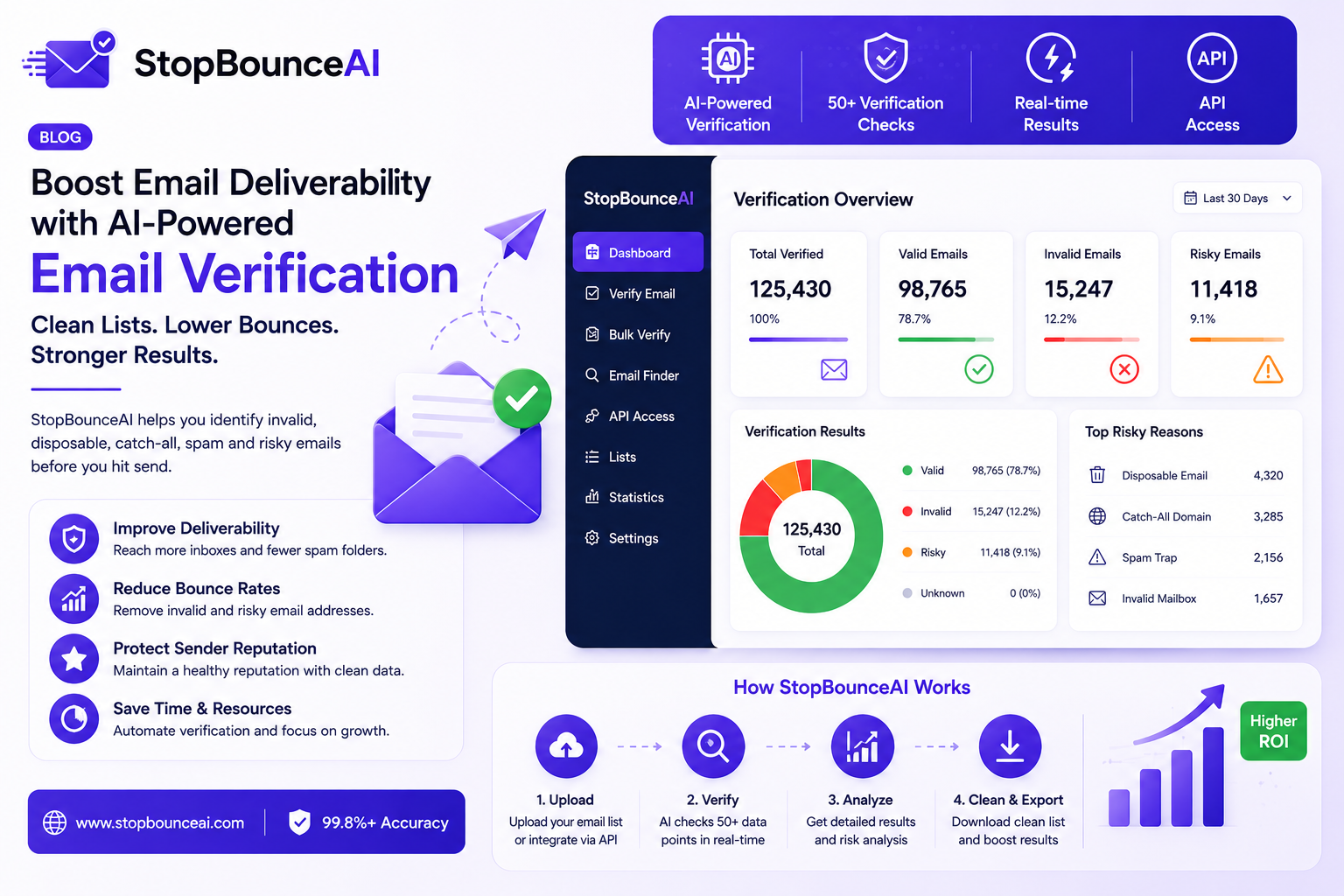
StopBounceAI is an AI-powered email verification and finder platform designed to help businesses identify invalid, disposable, catch-all, spam, and risky email addresses.
Instead of relying only on basic formatting checks, StopBounceAI uses multiple verification signals to provide a deeper view of email quality.
AI-Powered Verification
Analyze email addresses using AI-powered verification and risk analysis.
50+ Verification Checks
Evaluate email addresses through multiple technical and risk-related checkpoints.
Real-Time Results
Get verification results quickly before using contacts in your campaigns.
Detailed Risk Analysis
Understand the potential risks associated with an email address.
Bulk Verification
Verify large contact databases efficiently.
Email Finder
Find professional email addresses and verify them before using them for outreach.
API Access
Connect email verification with your CRM, applications, databases, and automated workflows.
Which One Should You Use?
The answer depends on your goal.
If You're Collecting Emails
Use email validation to prevent obvious formatting errors.
If You're Cleaning an Existing Database
Use email verification to evaluate the quality and potential risk of existing addresses.
If You're Running Cold Email
Use deeper email verification before sending campaigns.
If You're Managing a Large B2B Database
Use validation during collection and verification as part of ongoing data hygiene.
If You Want the Best Overall Workflow
Use both.
Validation helps you collect cleaner data.
Verification helps you send to better-quality data.
Frequently Asked Questions
Is email verification the same as email validation?
Not exactly. Email validation generally focuses on the technical format and basic structure of an email address, while email verification can perform deeper checks related to deliverability and risk.
Which is better: email verification or validation?
Neither is universally "better." They solve different problems. Validation is useful when collecting email addresses, while verification is more useful when evaluating an existing database before sending.
Can email validation tell me if a mailbox exists?
Basic validation generally cannot reliably confirm that a specific mailbox exists. Deeper verification uses additional signals to assess potential deliverability.
Should I validate or verify emails before cold emailing?
For cold email campaigns, deeper verification is generally more useful because correctly formatted addresses can still be inactive, disposable, catch-all, or otherwise risky.
Can I verify emails in bulk?
Yes. Bulk email verification allows businesses to check large databases before using them for email campaigns.
Does StopBounceAI provide email verification?
Yes. StopBounceAI provides AI-powered email verification designed to identify invalid, disposable, catch-all, spam, and risky email addresses.
Does email verification reduce bounce rates?
It can help reduce avoidable bounces by identifying problematic addresses before sending. However, verification cannot prevent every possible delivery failure.
Conclusion
Email validation and email verification both play important roles in maintaining high-quality email data.
Validation helps answer:
"Is this email address formatted correctly?"
Verification goes further and asks:
"Does this email address appear deliverable and what risks should I know about?"
For businesses running B2B sales, cold email, recruitment, lead generation, or email marketing campaigns, combining both processes can create a stronger email data workflow.
Collect clean data. Verify before sending. Reduce avoidable bounces.
With StopBounceAI, you can find and verify professional email addresses, analyze potential risks, clean large databases, and build more reliable email campaigns.
Verify Smarter. Send With Confidence.
StopBounceAI - AI-Powered Email Verification & Finder
Detect invalid, disposable, catch-all, spam, and risky emails before they become a problem for your campaigns.